This is general operational guidance, not legal, clinical or regulatory advice.
Australian health services have had a busy few weeks on AI governance.
- On Thursday 5 November 2026, the Australian Commission on Safety and Quality in Health Care opened consultation on its draft AI Guidance for Health Services. It covers how a health service adopts, uses and governs AI, with a focus on trust, transparency, informed consent and risk-based decisions. Consultation closes on Monday 30 November 2026, and the final guidance is planned for 2027.
- The TGA's guidance on clinical decision support system software was last updated on 16 October 2026.
- New privacy policy obligations for automated decisions start on 10 December 2026. The OAIC updated its APP 1 guidelines on 30 September 2026 to explain them.
- On 30 October 2026, HubSpot put AI connector access to Sensitive Data into public beta.
Each of these asks a different question. A clinic can have a privacy obligation even when its tool is nowhere near being a medical device. And a vendor switching a feature on doesn't mean your organisation has decided to use it.
So before any AI goes live in a health service, I'd put it through a gate. Here's the one we use.
Three questions that sit underneath the gate
1. Is it doing a clinical job? (TGA)
Calling a tool an assistant, a copilot or an agent tells you nothing about its regulatory status. What matters is its intended purpose: what it does, what data it uses, what it produces and who relies on that output.
Clinical decision support software can be a medical device. The TGA's guidance sets out three criteria that must all be met for an exemption: the software only supports a recommendation to a health professional, it doesn't directly analyse a medical image or signal from another device, and it doesn't replace the clinician's judgement on diagnosis or treatment. Exempt software is still subject to TGA oversight. Sponsors must notify the TGA within 30 working days of supply and report adverse events.
For most clinics, the practical line looks like this:
- Admin support: organise documents, extract non-clinical fields, route work, notify staff, prepare a case summary, flag what's missing.
- Clinical decisions: diagnose, interpret pathology, recommend treatment, decide suitability, prescribe.
Agents handle the first list within set permissions. Named clinicians own the second. I went deeper on this split in where automation ends and clinical decision support begins.
2. Does a program use personal information in a significant decision? (Privacy Act)
From 10 December 2026, your privacy policy must explain where a computer program uses personal information to make a decision, or to do something substantially and directly related to making one, that could reasonably be expected to significantly affect someone's rights or interests.
The OAIC's guidance is clear that the output can be advisory or final. A program that ranks or recommends while a person makes the final call can still be in scope. Decisions affecting access to a significant service or support are among the examples, which puts plenty of healthcare workflows in the frame.
So adding a human click at the end doesn't settle the question. For each use case, record:
- the decision being supported
- the personal information used
- whether the program decides, recommends or only prepares
- the likely effect on the patient
- who can challenge or override the output
- the plain-English disclosure needed in your privacy policy and patient journey
3. What data can the AI actually see? (Your systems)
HubSpot's beta lets Super Admins allow supported AI connectors to read Sensitive Data. ChatGPT, Claude and Copilot can read Sensitive Data properties and engagements. Gemini and HubSpot's remote MCP server can read engagements only. Access is read-only, users still need the normal object and property permissions, Highly Sensitive Data stays restricted, and existing connections must be disconnected and re-authorised to pick up the new permissions.
That's a useful control. Turning it on is still your call. Before you do, list which properties are marked sensitive, who owns them and why they exist. I've written about why deleting properties you don't need is one of the best things you can do for a CRM. It's also one of the best privacy controls.
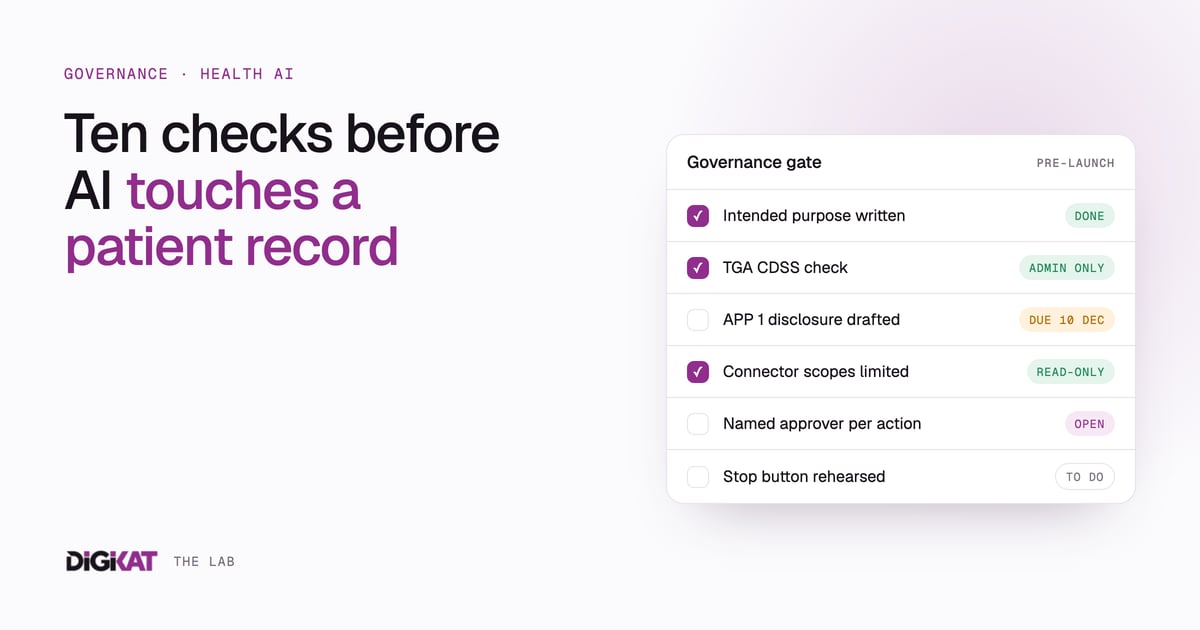
The governance gate: ten checks before go-live
- Name the problem. Start with one observable problem: incomplete intake, slow document review, repeated "where's my order?" messages, unmatched payments. "Automate patient care" isn't a use case.
- Write the intended purpose in one sentence. If the purpose changes later, reassess the TGA and privacy position before release.
- Establish one record. Map patient, contact, assessment, payment, pathology, appointment and communication data. Decide the source of truth and the matching rules before any agent acts. Automation on duplicate records scales the duplicates.
- Classify the decision risk. Separate routine admin from anything that shapes clinical decisions or access to care. The higher the impact, the stronger the testing, approval and monitoring.
- Bound the agent and its data. Define allowed actions, banned actions, the data it can reach, escalation triggers and its maximum authority. Give connectors only the objects and properties the use case needs. An agent might spot a missing pathology document and create a staff task. It must not interpret the result.
- Put a named role in approval. "Human in the loop" is too vague. Say which role approves each high-impact action, what they must review, and what happens when they disagree with the system.
- Design transparency into the journey. Tell patients where automation is used, what information it uses and how to reach a person or challenge an outcome. Put it where they'll see it, in plain Australian English, as well as in the privacy policy.
- Test the exceptions. Incomplete forms, duplicate identities, changed email addresses, missing documents, failed integrations, bounced messages, conflicting records. Write down the expected behaviour for each.
- Log evidence and approvals. Keep the source data, output, automated action, reviewer, decision and timestamp. Without that, you can't investigate an incident.
- Monitor and keep a stop button. Track errors, overrides, escalations, response times, duplicate records, abandoned journeys and complaints. Set thresholds that pause the automation and send work to a person. Rehearse revoking a connector so you can pause it quickly without losing the record.
What to have on paper
- An AI use-case register: owner, purpose, data, decision impact, status.
- A note on whether each use case could be a medical device or clinical decision support.
- Your APP 1 assessment and draft privacy policy wording, ready before 10 December.
- Role-based access settings and the approval matrix.
- Test results for the exception cases.
- A review trigger: whenever the purpose, data or model changes.
If you're a health service leader, clinician or consumer with views on how this should work, the Commission's consultation is open until 30 November. It's worth reading the draft even if you don't submit, because it shows where expectations are heading.
Where this lands
Useful health AI is a governed layer around a trusted patient record. Patients get a clear place to give information and see status. Bounded agents handle permitted admin work. People approve anything that carries clinical judgement or real patient impact.
None of that is new. What's changed is that the regulators, the privacy rules and the platforms are all moving at once.
Want a second set of eyes on an AI use case before it goes live? See how DigiKat approaches AI safety and governance, and we'll work through the gate with you on one workflow first.