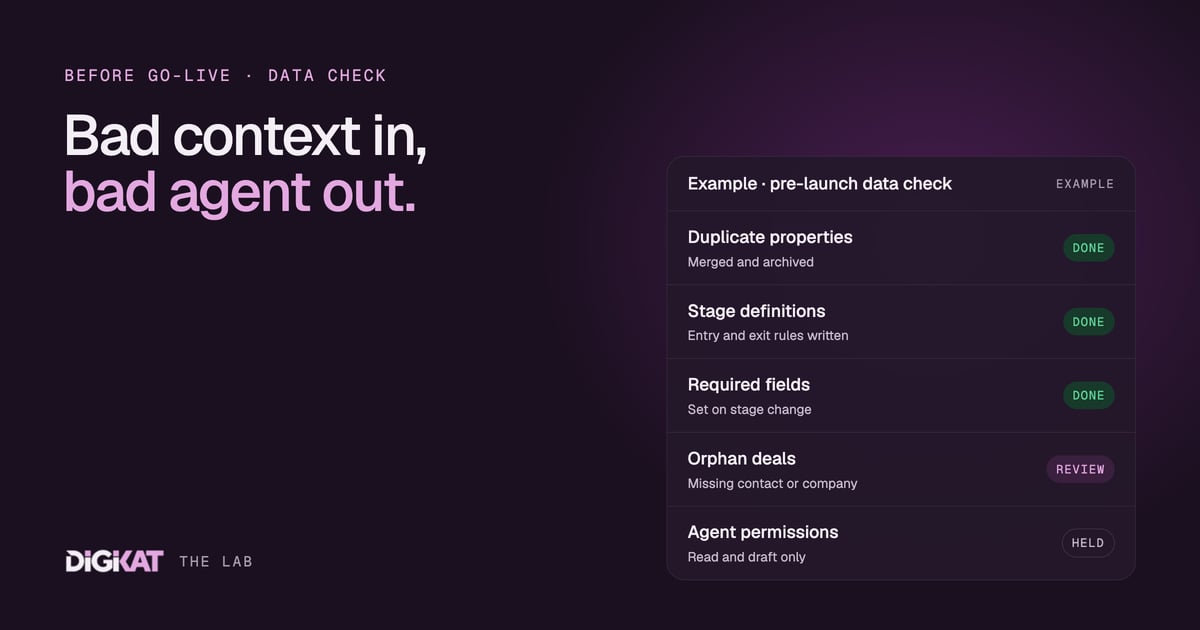
An AI agent is the most literal employee you will ever hire. It believes every field in your CRM. If the lifecycle stage says "customer", it treats that person as a customer, even if they cancelled eight months ago and nobody updated the record. Bad context in, bad agent out.
Before we switch any agent on, we run the same set of data checks. None of them are glamorous. All of them decide whether the agent helps you or embarrasses you in front of a customer. Here's the list, in the order we work through it.
When an agent project stalls, people usually blame the AI. In our experience the model is rarely the problem. Gartner predicts that over 40% of agentic AI projects will be cancelled by the end of 2027, pointing to rising costs, unclear business value and weak risk controls. Messy data feeds all three. The agent costs more because it needs constant correcting, the value is unclear because nobody trusts its output, and the risk goes up because it acts on fields that are wrong.
We've written before about why most AI agents fail on the data, not the model. This post is the practical follow-up: what to fix, and how.
1. Property hygiene: fewer fields, clearer meaning
Most HubSpot portals we audit have more properties than anyone can explain. Three versions of "phone", a "status" field nobody uses, and a "notes 2" that's been collecting free text for years. A person learns to ignore the noise. An agent can't tell noise from signal.
- One fact, one property. If two fields hold the same thing, merge them and archive the spare.
- Dropdowns over free text. "Service type" should be a pick list, not whatever the person typing felt like that day.
- A plain description on every property the agent uses. One sentence on what it means and who updates it. It helps new staff, and it helps whoever writes the agent's instructions.
- Archive what nobody uses. We once deleted 300 properties from a client's HubSpot. The post explains what we removed and why.
2. Pipeline stages with written definitions
A pipeline stage is an instruction to an agent. "Proposal sent" tells it a proposal went out and a follow-up may be due. If your team moves deals to "Proposal sent" when they're only thinking about writing one, the agent follows up on proposals that don't exist.
For every stage, write down three things:
- Entry rule: what must be true for a record to move here.
- Exit rule: what must happen for it to move on.
- Owner: who is responsible while it sits here.
Then clean out the stale records. Deals sitting in an open stage for a year aren't open. Close them as lost with a reason, so the agent isn't nudging people who stopped being prospects long ago.
3. Required fields at the moments that matter
Making everything required when a record is created doesn't work. People fill the boxes with junk to get past the form, and junk is worse than blank because it looks real.
The better approach is to require fields at the moment they become true. HubSpot lets you make properties required when a deal moves into a stage or a ticket changes status. Require the amount and close date when a deal reaches "Proposal sent". Require a lost reason when it's closed lost. Require a category when a ticket is closed. Each rule is small, and together they give the agent the facts it needs at the step where it needs them.
4. Associations and a single source of truth
An agent's best context comes from associations: the links between records. A deal linked to its contact and company. A ticket linked to the customer and the service they're on. If those links are missing, the agent works blind. Our plain-English guide to pipelines, objects and associations explains this in more detail.
The quick checks we run:
- Every open deal has at least one associated contact and a company.
- Every ticket is associated to the contact who raised it.
- Duplicate contacts and companies are merged, so the history sits on one record, not split across three.
- No shadow spreadsheets. If the real status of a job lives in someone's Excel file, the agent will never see it. Bring it into HubSpot or accept that the agent can't help with that job.
- Integrations write to agreed fields. If your accounting system and your booking tool both update the same property, decide which one wins.
5. Permissions: a job description, not the keys
An agent should have access to what its job needs and nothing more. That's the same rule we apply to people, and we covered the basics in our guide to HubSpot user permissions.
- Read before write. Most agents start by reading records and drafting. Write access comes later, field by field.
- Keep sensitive data out of reach. If the job doesn't need health details, payment details or private notes, the agent shouldn't see them.
- Decide what stays human. Money, signatures, and clinical or legal advice stay with a person. Always.
Sometimes this review shows the job doesn't need an agent at all. If the rule is simple and never changes, a workflow will do it more cheaply. We set out how to tell the difference in AI agent or workflow?
Then, and only then, switch it on
This is the Context step of our method: check the data, pick one job, agree what done means, and measure what that job costs you today. Once the data is clean, the Action step starts with HubSpot's own agents wherever they fit, tested on real past cases, and every agent starts by drafting for a person to approve. Clean data is what makes those drafts worth approving.
Want to know how your HubSpot data stacks up before you switch an agent on? Book an AI Readiness Audit. We'll check your properties, pipelines, required fields, associations and permissions against the job you want to hand over, and give you a short, prioritised fix list. You can also read how we work first.