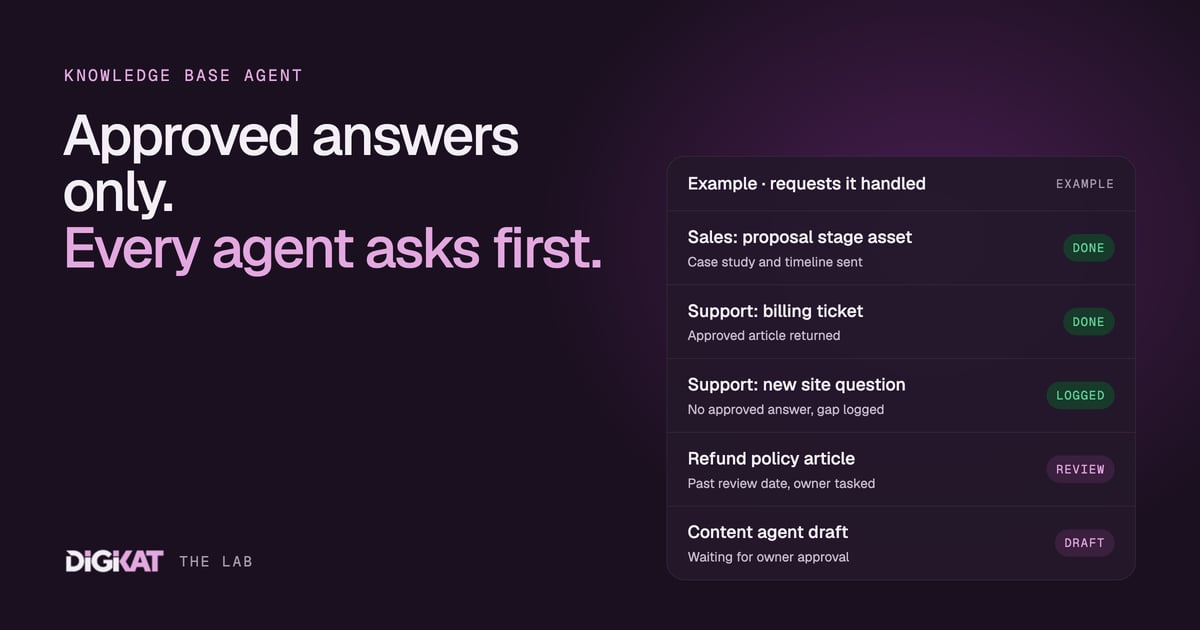
Every business has one person everybody asks. "Which case study do I send this one?" "What's the current answer on refunds?" "Is this the latest price sheet?" When that person is away, the team guesses, and customers get three different answers to the same question. In our agent team, that person is an agent. We call it the Knowledge base agent, and every other agent asks it first.
This post is part of our series on the management agent team we build on HubSpot. We've covered the Sales agent, the Support agent, the Marketing agent and the Content agent. The Knowledge base agent is the librarian behind all of them.
What the librarian keeps
The Knowledge base agent holds only approved material. Nothing gets in without a person signing it off. That includes:
- Approved answers. Short, exact answers to common questions: how to reschedule, what the cancellation terms are, how long delivery takes.
- Articles. Help desk and portal articles that explain a process step by step.
- Sales assets. Case studies, one-pagers, proposal sections, pricing explainers and comparison sheets.
- Email templates and snippets. Approved wording for the moments that matter, such as a welcome email or a follow-up after a demo.
- Rules. The "always a person" list, the topics no agent should answer and the wording to use when handing off.
Most of this already exists in a typical business. It's just spread across a shared drive, a few people's sent folders and the HubSpot knowledge base nobody has updated in a year. Part of switching on this agent is gathering it, deduplicating it and getting each piece re-approved.
Tagged so the other agents can find it
A pile of documents isn't a knowledge base an agent can use. What makes it work is the tagging. Every item is tagged against the same structure your HubSpot already uses:
- Deal stage. Which pipeline and stage it's for. A first-call overview and a proposal-stage case study are different assets.
- Ticket type. Which support category it answers, matched to the ticket pipelines and categories in your help desk.
- Audience. Prospect, new customer, long-term customer, member, patient, partner. Often this maps straight to lifecycle stage or a custom object such as membership.
- Product or service. Which offer it relates to.
- Review date and owner. Who approved it and when it needs checking again.
Because the tags match the pipelines, stages and objects in HubSpot, the other agents can look things up by the record they're working on. That's the same structured data idea we keep coming back to, and our guide to pipelines, objects and associations explains why it matters so much for agents.
Two questions it answers all day
"What should I send this prospect?"
The Sales agent is working a deal at the proposal stage. The company is in construction, the contact is the operations manager, and they asked about onboarding time on the last call. The Sales agent asks the Knowledge base agent: what's approved for proposal stage, construction, operations audience, onboarding?
The Knowledge base agent returns the best match, perhaps a one-page onboarding timeline and a relevant case study, with a note on when each was last approved. The Sales agent drafts the follow-up email using those assets, and a person approves the send. No guessing, no out-of-date PDF from 2023.
"What should I reply to this ticket?"
The Support agent has a ticket asking how to update payment details in the member portal. It asks the Knowledge base agent: what's approved for ticket type billing, audience member, topic payment details?
If there's an approved article, the Support agent answers with it, in chat or as a ticket reply. If there isn't, the Knowledge base agent says so clearly. The Support agent hands the ticket to a person, and the gap gets logged for the Content agent to fill. Saying "I don't have an approved answer" is one of the most important things this agent does. An agent that makes something up to fill the silence is worse than no agent.
Keeping it honest
A knowledge base goes stale quietly. Prices change, processes change, a policy gets updated and the old article stays live. The Knowledge base agent looks after that too:
- It flags items that are past their review date and creates a task for the owner.
- It notices when the team keeps editing the same approved answer before sending it, which usually means the answer is wrong or incomplete.
- It accepts new drafts from the Content agent and routes them to the right person for approval.
- It retires old versions so only one approved answer exists for each question.
In regulated work, the approval rules are stricter. In a health business, anything touching clinical information is approved by a qualified clinician, and no agent uses it to give advice. It's there so admin answers stay consistent and clinical questions get routed to the right person. The same applies to legal and financial content.
Setting it up
We use Context, Action, Coordination, Result for this agent too.
- Context: find what you already have, check your pipelines and ticket categories are tidy enough to tag against, and pick one job. Usually it's "the top 20 support answers" or "the assets for each sales stage". Measure how long your team spends today hunting for the right thing to send.
- Action: HubSpot's knowledge base and its own agents first, because the Customer Agent already answers from it. Custom work only where they stop, such as tagging sales assets by deal stage or answering requests from our other agents. We test it against real past tickets and deals.
- Coordination: people approve, agents act. Every item is approved by a person before any agent can use it, and each topic has a named owner.
- Result: a monthly scorecard: how often each item was used, gaps it reported, stale items it caught, what it cost and the time saved across the team.
The Knowledge base agent isn't glamorous, but it's the reason the rest of the team sends the right thing. If your best answers live in a few people's heads, build my solution and we'll map out what your knowledge base agent would hold, or start with an AI Readiness Audit. You can see the whole agent team on our agents page.