If you're an Australian SMB about to implement HubSpot, you've probably read plenty of generic advice already. Most of it is about getting live. Very little is about what happens a year later, when you want to add automation or AI and discover your data can't support it.
This guide covers both. It's the approach we use at DigiKat for businesses with roughly 10 to 100 staff: get HubSpot working for your team now, and set it up so it's ready for AI and automation later.
Why set up for AI now?
Every AI feature in HubSpot runs on your CRM data. HubSpot's own documentation for predictive lead scoring, for example, says the model looks at things like form submissions, logged notes, meeting history and company details. If those records are patchy, the predictions are too. The same goes for AI summaries, AI agents and anything you build yourself.
So the boring decisions you make in week one, such as which properties exist, how stages are defined and who owns what, decide how useful AI will be in year two.
Phase 1: Audit and strategy
Before you touch HubSpot, answer these questions:
- What does your sales process actually look like today?
- Where do your contacts live now? Spreadsheets, Outlook, another CRM, someone's head?
- What are the three most painful manual processes in the business?
- What does success look like in 90 days?
Add one more for the future: which decisions would you like help with later? Which leads to call first, which customers are drifting, which deals are stalling. Write them down. They tell you what data you need to start capturing now.
Don't skip this step. I've seen businesses jump straight into HubSpot and rebuild the same mess they had in spreadsheets, just in a nicer tool.
Phase 2: Core setup
Get the foundations right:
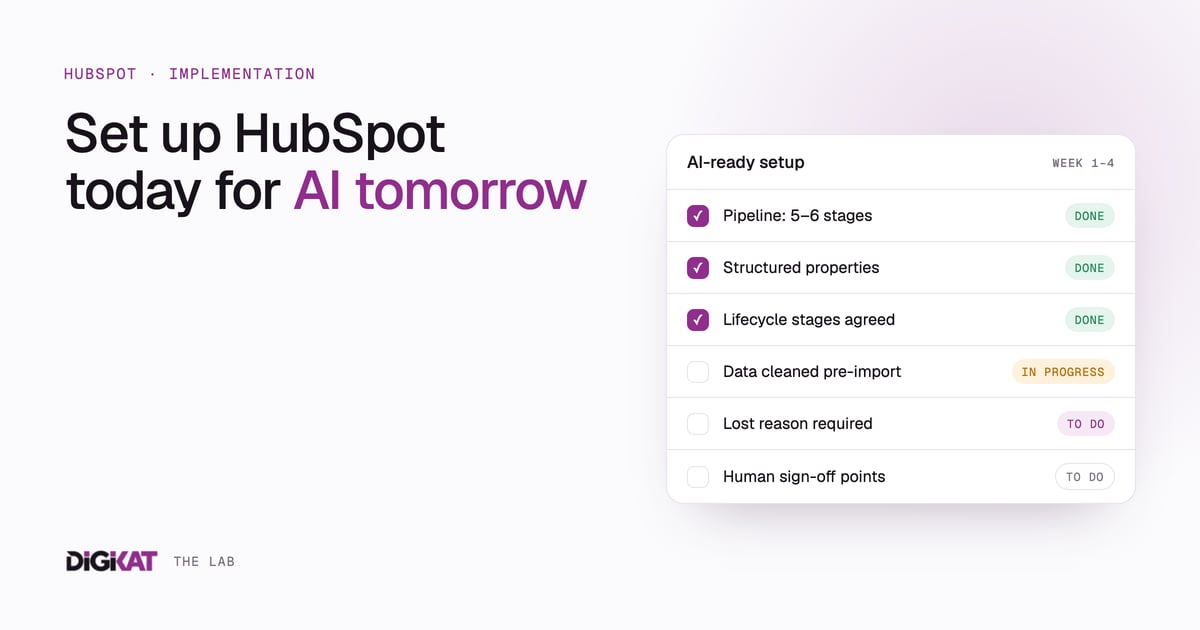
- Pipeline. Five or six stages at most. Each stage should answer "what happens next?" If you can't explain a stage in one sentence, it shouldn't exist.
- Properties. Only create custom properties you'll use for a decision or a segment. Use dropdowns, checkboxes and dates over free text wherever you can. Structured fields are what automation and AI can actually read and act on.
- Lifecycle stages. Agree in writing what makes a lead, a qualified lead and a customer. If two people would classify the same contact differently, every report and every model built on it inherits that confusion.
- Associations. Link contacts to companies and deals properly. A contact floating on its own is useless for scoring or account-level views.
- Permissions. Set them up properly from day one. You don't want a junior rep deleting your pipeline.
- Integrations. Connect email and calendar first so activity logs automatically. Logged activity is free training data for later.
Keep a simple data dictionary: one line per custom property saying what it means and who fills it in. It takes an hour and saves weeks later. We've seen what happens without one in a portal with 300 properties nobody could explain.
Phase 3: Data migration
This is where most implementations go sideways.
- Clean before you migrate. Deduplicate, remove dead contacts and standardise formats. Bringing junk into a clean system just gives you junk in a nicer interface.
- Migrate in stages. Active deals first, then active contacts, then history if you actually need it.
- Map your fields. Build a spreadsheet mapping old fields to HubSpot properties before you import anything.
- Test with a small batch. Import 50 records, check them properly, then do the full import.
A common mistake is migrating ten years of history on day one. You rarely need it. Start with what's active and relevant. If old closed deals matter for future scoring, bring them in deliberately, with clean outcomes (won, lost and why), rather than as a dump.
Phase 4: Automation and workflows
This is the fun part, and restraint matters. Start with three workflows:
- New lead notification. A form is submitted and the right person is told straight away, with the details.
- Follow-up reminders. A deal sits in a stage too long and a task is created for the owner.
- Closed lost re-engagement. A deal is lost, the system waits a few months, then sends a check-in.
That's enough to start. These three also build good habits the AI layer depends on later: every lead has an owner, every deal has a next step, and every outcome is recorded. If you want more ideas once these are running, I've written up five workflows that cover most of the manual work.
Two rules for AI-readiness:
- Record the reason as well as the outcome. Make "closed lost reason" a required dropdown. Outcome data with reasons is what scoring and forecasting learn from.
- Keep humans in the loop on purpose. When you later add AI that drafts emails or suggests next steps, the approval points should already exist in your process. Decide now who signs off on what.
Phase 5: Training and adoption
The best HubSpot setup in the world is worthless if your team doesn't use it. What actually drives adoption:
- Make it easy. If updating a deal takes more than a few clicks, the process is too complex. I've written about the three-click rule we use.
- Make it valuable. Show the team what's in it for them: less admin, better leads, clearer targets.
- Lead from the top. If the sales manager doesn't use HubSpot, nobody will.
- Train in context. Skip the generic overview. Train people on their pipeline, their workflows and their daily tasks.
Adoption is also an AI issue. If half your calls and meetings never get logged, any AI that summarises accounts or flags risk is working with half the picture.
Five common mistakes
1. Over-engineering the pipeline
Ten stages, required fields everywhere and complex automation on day one. Your team will rebel. Start simple and add complexity when the data justifies it.
2. Skipping data cleanup
"We'll clean it up later." You won't. It only gets harder once people are working in the system.
3. No clear ownership
Every deal, task and workflow needs a named owner. "The team" isn't an owner.
4. Building for reporting instead of action
If a dashboard doesn't change what someone does next, delete it.
5. Free text everywhere
Notes fields are fine for context. But if the information drives a decision, such as industry, service interest or lost reason, it belongs in a structured property. Free text is hard to report on and hard to automate.
What to expect
For a typical SMB with a small sales team, a straightforward implementation runs over a few weeks:
- Audit and strategy: discovery and documentation
- Core setup: pipeline, properties, permissions, email and calendar
- Data migration: cleanup, mapping and a staged import
- Automation: a handful of core workflows
- Training: role-based and hands-on
Complex integrations, multiple pipelines or messy source data add time. Weeks is realistic for most SMBs. If someone's quoting you many months for a standard setup, ask why.
Ready to start, or already live?
If you're about to implement HubSpot, or you're already on it and wondering whether it's ready for automation and AI, our AI Readiness Audit is the place to start. We'll look at your data, properties and processes, and tell you plainly what to fix first.