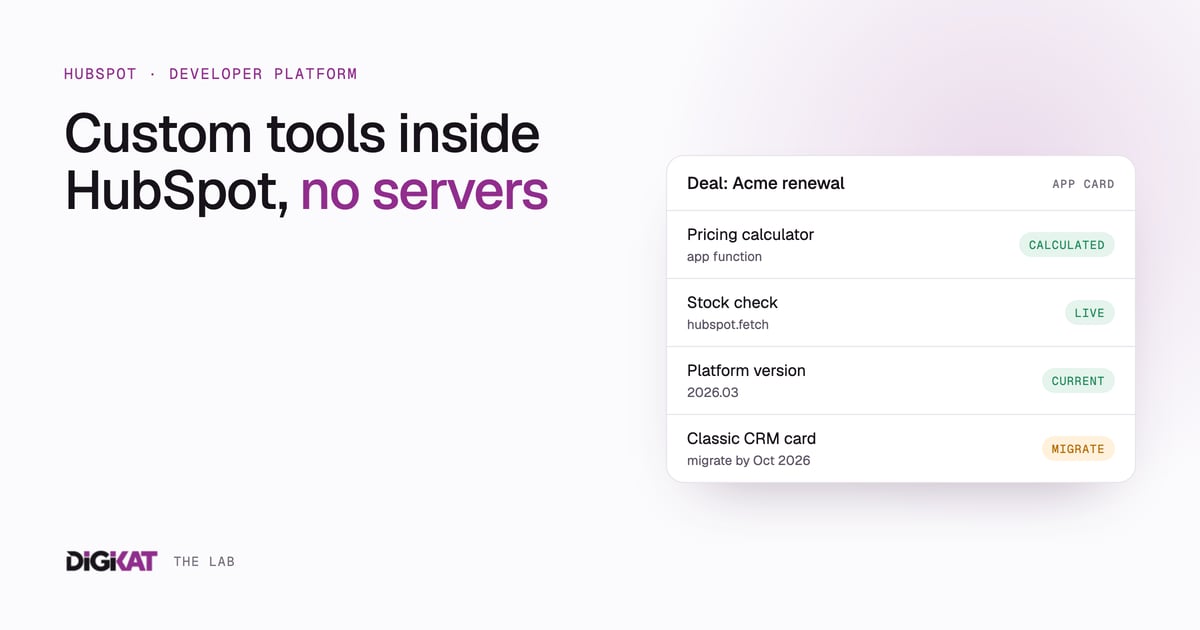
Sooner or later, most growing HubSpot portals hit the same wall. You want a pricing calculator on the deal record, live stock levels from your warehouse system, or a check that runs before a deal can move stage. Workflows can't quite do it, and the traditional answer is a separate server: a developer builds a backend, someone hosts it, and someone has to keep it patched.
HubSpot's developer platform now lets you build a lot of this inside HubSpot. Two pieces do most of the work: UI extensions, which put your own interface inside HubSpot, and serverless functions, which run your backend code on HubSpot's infrastructure.
The platform changed a fair bit over the past year, so plenty of older guides are out of date. Here's how it works as of the 2026.03 platform version.
A quick history, because it matters
HubSpot apps are now built as developer projects: a folder of code and config files that you upload with the HubSpot CLI. Each project declares a platform version.
- 2025.1 projects defined serverless functions in a single serverless.json file. According to HubSpot, support for 2025.1 ends on 1 August 2026, after which builds on that version will fail.
- 2025.2 brought apps onto the new developer platform, but without HubSpot-hosted serverless functions. UI extensions called your own backend through hubspot.fetch().
- 2026.03, released on 30 March 2026, brought serverless functions back as app functions, defined one per file.
HubSpot now ships platform versions every six months, and each is supported for 18 months. The details are in HubSpot's Spring 2026 developer changelog. If you have older custom work in your portal, put a migration review on the calendar.
What UI extensions are
UI extensions are React components that render inside HubSpot, built with HubSpot's own component library so they look native. According to the UI extensions overview, they can appear as:
- App cards on CRM records, in the middle column, the right sidebar or the preview panel, and in the help desk sidebar.
- App pages (previously called app home), full-screen views for dashboards or multi-step processes.
- Settings pages for your app's configuration, such as credentials, toggles or property mappings.
If you still have classic CRM cards built the old way, HubSpot's changelog says they need to move to app cards by 31 October 2026.
What app functions are
App functions are server-side JavaScript functions that HubSpot runs for you. You don't provision a server, renew certificates or manage scaling. According to HubSpot's serverless functions overview and reference:
- Each function is a pair of files in your project's functions folder: a JavaScript file and a matching -hsmeta.json config file.
- Private functions are called from your UI extensions. Installing an app that uses them requires an Enterprise subscription. You can develop in a free developer test account.
- Public endpoints expose a function at a URL, for example to receive a webhook. They require Content Hub Enterprise.
- A UI extension calls a private function with hubspot.serverless(), passing parameters and record properties.
- Functions have a 15-second execution timeout and can cold start after a period of inactivity.
- Secrets are added with the CLI, listed in the function's config and read from environment variables in code. HubSpot provides a reserved access token for calling HubSpot's APIs from private functions.
- Only privately distributed apps with static auth can use these functions. OAuth apps can't.
Separately, Content Hub Enterprise still offers CMS serverless functions for websites, such as form handlers or dynamic page data. They're a different tool. They support public endpoints but can't be called from UI extensions.
When to use a function, and when to use hubspot.fetch()
You don't always need HubSpot to host your code. A UI extension can also call an external service directly with hubspot.fetch(), which has a default 15-second timeout that can be raised to 120 seconds, and a 1 MB payload limit.
- Use an app function for short, self-contained logic: a calculation, a lookup that combines HubSpot data with one external API, or a validation check.
- Use your own backend with hubspot.fetch() for longer jobs, heavy processing, or anything that needs its own database or state.
One more limit worth knowing. Apps that use HubSpot's Sensitive Data scopes can't use hubspot.fetch() or serverless functions. If you handle sensitive data in HubSpot, design around that from the start.
What you can build
A few patterns we see often.
A pricing calculator on the deal record
An app card shows a live quote breakdown based on deal properties such as scope, tier and term. A private function applies your pricing rules and writes the result back to the deal, so reps stop maintaining a spreadsheet on the side and every quote follows the same rules.
Live data from another system
An app card on the contact or deal pulls current information from your inventory, booking or job management system when a rep opens the record. Nothing is copied into HubSpot unless you choose to store it, so there's no middleware sync to break.
A guided process
An app page walks staff through a multi-step task such as onboarding a new customer, checking each step and updating the right records as they go. This works well for processes where a missed step causes real problems.
A webhook receiver
On Content Hub Enterprise, a public endpoint can receive webhooks from another system, for example an order shipped, and update the matching deal.
Workflows have their own option
Don't confuse app functions with custom coded workflow actions. Those let you write code directly inside a workflow step, and they're part of Data Hub Professional and Enterprise. If the logic only needs to run inside an automation, with no interface, a custom coded action is often simpler.
The 2026.03 release also lets developers build agent tools: custom workflow actions that HubSpot's Breeze agents can call. That's worth watching if you plan to use AI agents in your portal.
Practical guidelines
- Start with native features. If a workflow, calculated property or standard card does the job, use it. Custom code is something you maintain.
- Keep functions small. One function, one job. HubSpot's own guidance is to keep them lightweight and limit external API calls.
- Never hard-code keys. Use project secrets.
- Return clear errors. A card that fails quietly is worse than no card.
- Use a developer test account. Build and test there before installing in your production portal.
- Track the platform version. Six-monthly releases and an 18-month support window mean custom apps need a maintenance plan, the same as any other software.
Before you build anything, make sure the data underneath is in shape. A clever app card that reads half-empty properties doesn't help anyone. I've written about cutting a portal back to the properties that matter, and about the workflows to get right first.
Is your portal ready for custom tools?
If you've hit the limits of standard HubSpot and you're weighing up a custom app card or function, start with our AI Readiness Audit. We'll look at your data, your workflows and your subscription, and tell you whether native features, a custom extension or something else is the right fit.