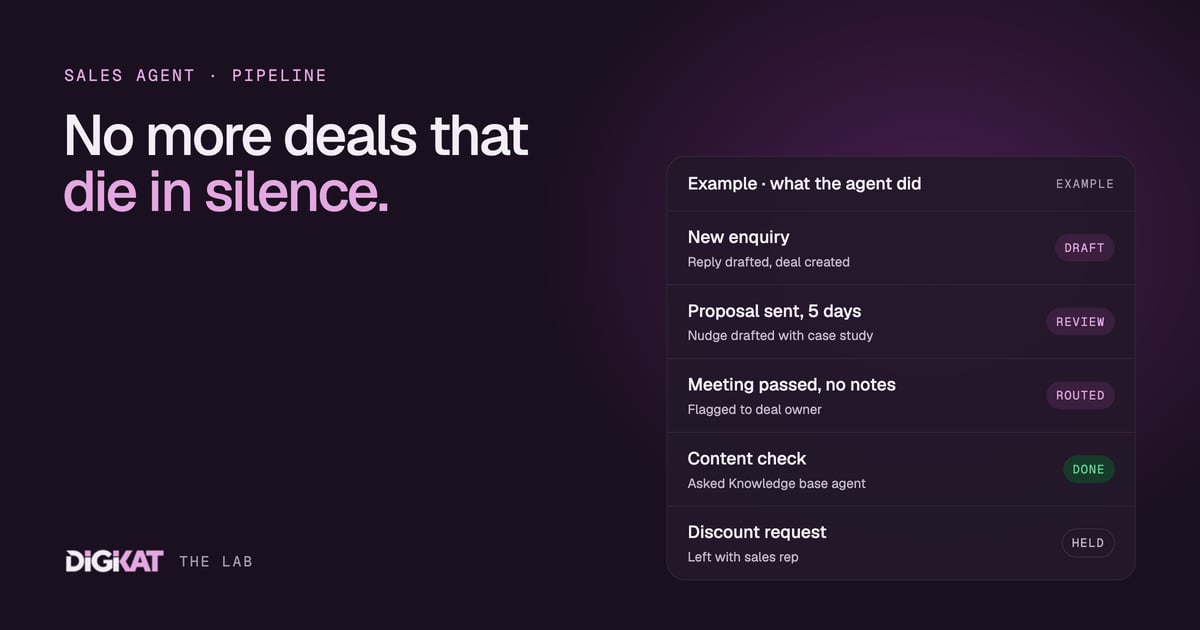
Most deals don't die because a competitor was better. They die quietly. The enquiry came in on a busy Thursday, the reply went out on Monday, and by then the prospect had booked someone else. Or the quote went out, nobody followed up, and the deal sat in "Proposal sent" until it went cold.
That quiet decay is exactly the work our Sales agent is built for. It doesn't replace your salespeople. It watches the sales pipeline in HubSpot, notices what needs doing, and puts a ready-to-send draft in front of a person. Here's how it works, and why it only works when the pipeline underneath it is in good shape.
What the Sales agent is, and what it isn't
The Sales agent is one member of our management agent team. Its patch is the sales pipeline: new enquiries, qualification, quotes and proposals, follow-up, and the hand-over when a deal is won. It reads deals, contacts, companies and their activity history in HubSpot, and it drafts the next step.
What it doesn't do: set prices, offer discounts, sign anything, or send without approval while it's new. A person approves anything that matters. That line isn't negotiable, and it's the reason clients trust it.
We also start with what HubSpot already provides. HubSpot's own agents, such as the Prospecting Agent, cover a good share of sales work out of the box. We only build custom pieces where they stop, for example where a business has an unusual pipeline or needs the agent to check a custom object before it drafts.
Job one: responding to new leads fast
When a new enquiry lands, the agent does what a sharp sales coordinator would do in the first few minutes:
- Checks the record. Is this a new contact or someone we already know? Are they associated to a company with an open deal? Have they enquired before?
- Works out the stage. A first-time enquiry, a returning customer and a referral each get a different opening.
- Drafts the reply. A personal response that answers their actual question, proposes a next step and books time if that's the right move.
- Creates or updates the deal in the right pipeline, at the right stage, with an owner.
The person on duty sees the draft, edits if needed, and sends. What used to wait until someone had a spare half hour now waits only for a quick review.
Job two: spotting deals that have gone quiet
Every pipeline has deals that should have moved and haven't. The agent checks each open deal against the written definition for its stage. "Proposal sent" with no reply in five working days. "Meeting booked" where the meeting has passed but no notes were logged. "Negotiation" where the close date slipped twice.
For each one, it does one of two things. If there's a sensible next step, it drafts a nudge to the prospect. If the deal looks stuck for an internal reason, such as a missing quote or an owner on leave, it flags it to the deal owner instead. Either way, nothing sits silently for weeks.
This is the same idea we covered for trades in quote follow-up agents, applied across the whole pipeline.
Job three: the right follow-up, with the right content
A follow-up is only as good as what's in it. "Just checking in" is not a follow-up. So before the Sales agent drafts, it asks another member of the team: the Knowledge base agent.
The Knowledge base agent keeps the approved answers and articles. The Sales agent tells it the stage, the industry and the question the prospect asked, and gets back what to send. At "Qualified", that might be a short explainer on how the service works. At "Proposal sent", it might be a case study and an answer to the most common pricing question. At "Negotiation", it might be the onboarding outline, so the prospect can picture the first month.
Because the Knowledge base agent only hands back approved material, the Sales agent never invents a claim or a price. And because both agents read the same HubSpot records, the hand-off between them is clean. This is what we mean when we say HubSpot is the structured data layer: the deal, its stage and its associations tell both agents exactly where they are.
The person in the loop
Every DigiKat agent starts in draft mode. The Sales agent prepares, a person approves, and the email goes out from a real sales rep's inbox. We set this up so that nothing sends without human sign-off until the agent has earned more freedom.
That freedom has a clear rule. An agent earns more independence once 95% of its work has been approved unchanged for two weeks. Even then, it's per task. The agent might earn the right to send first replies to new enquiries, while proposal follow-ups still go through a person. Pricing, discounts and anything with a signature stay with a person permanently.
If you're wondering how this differs from the chat widget on your website, we explained that in chatbot or AI agent? The short version: a chatbot answers. An agent works the pipeline.
What it needs from your HubSpot
A Sales agent is only as good as the pipeline it reads. Before we switch one on, we check that:
- Each deal stage has a written definition, with entry and exit rules.
- Deals are associated to contacts and companies, so the agent has the full history.
- Required fields are set at stage changes, such as amount and close date at "Proposal sent".
- Old, dead deals are closed out, so the agent isn't nudging people who moved on a year ago.
If those words are new, start with our plain-English guide to pipelines, objects and associations, then work through the data checks we run before any agent goes live.
Then we measure. Each agent gets a monthly scorecard: what it did, what it saved, what it cost and the net return. If the numbers don't stack up, we change the job or switch the agent off. You can see the full agent team on our agents page.
Want a Sales agent working your HubSpot pipeline, with your team approving every send? Tell us about your pipeline and we'll map the first job. Start with Build my solution, or read how we work to see the method behind it.