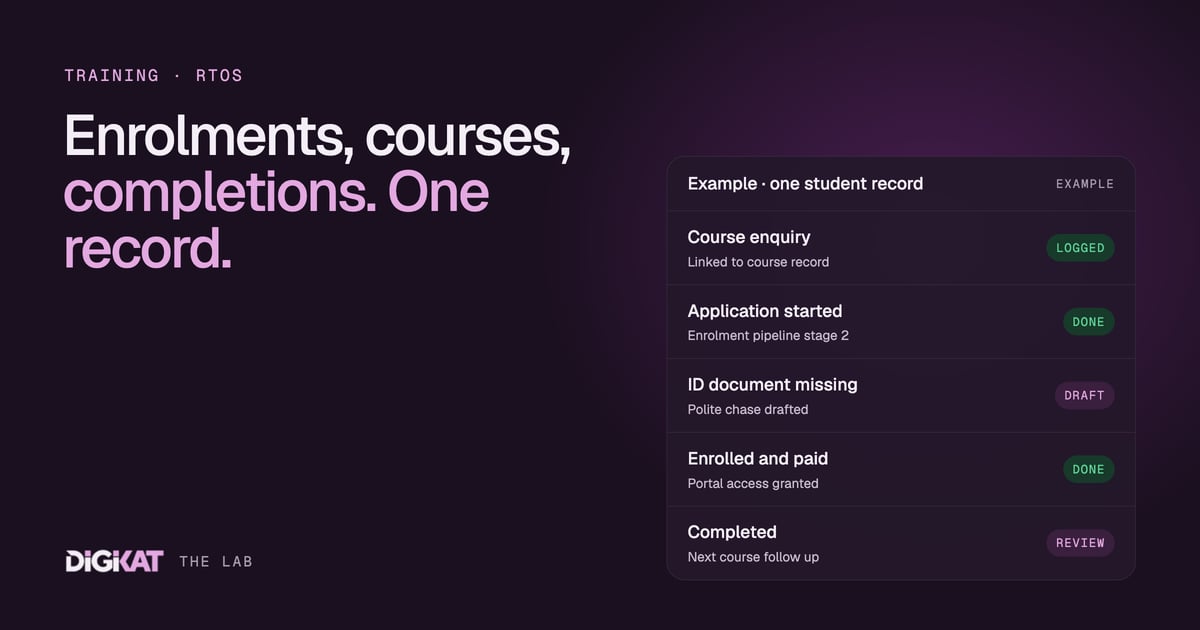
Ask a training provider where a student is up to and you'll often get three answers. The enquiry is in the CRM, the enrolment is in the student management system, and the completion is in someone's spreadsheet. Each answer is right on its own. None of them tells the whole story, and that's where students, revenue and repeat enrolments fall through the cracks.
I've spent a lot of time with RTOs, online course businesses and corporate training teams, and the fix is almost always the same: get the student, the course and the enrolment onto one record, joined up properly. Do that in HubSpot and your team can see the whole journey at a glance. It also means that when you're ready to add AI agents, they have something solid to work from.
Why training data ends up in pieces
Training businesses tend to grow their systems one problem at a time. A form for enquiries. A learning platform for delivery. A student management system for compliance reporting. A spreadsheet for corporate bookings. Each tool does its job. The trouble is the gaps between them:
- Enquiries go cold because nobody can see they were never followed up.
- Enrolments stall waiting on a document, and nobody's chasing it.
- A student finishes a course and never hears about the next one.
- Corporate clients ask "how many of my staff have completed?" and someone spends an afternoon finding out.
None of this is a people problem. It's a data shape problem. The information exists, it's just not connected.
The HubSpot shape for a training provider
HubSpot now has the objects to model a training business properly, without forcing everything into contacts and deals. Here's the shape we use most often.
Courses
HubSpot's Courses object holds your catalogue: course name, code, delivery mode, duration, price, intake dates and status. Each course is its own record, so you can report on it, associate it and build pages from it. We've written about this before in our first look at the Courses object and in how to build and manage online courses with it.
Students as contacts
Each student is a contact, with their employer as a company where it applies. That's what makes corporate reporting easy: associate the company, and you can see every staff member, every course and every completion in one view.
Enrolments as a pipeline
The enrolment journey works well as a deal pipeline (or a custom object, for higher volumes). Typical stages look like this:
- Enquiry received
- Application started
- Documents and eligibility checked
- Enrolled and paid
- In progress
- Completed
Each enrolment is associated to the student, the course and, where relevant, the employer. Association labels let you mark whether someone is enrolled, completed or withdrawn on a given course.
Completions and certificates
Your student management system usually stays the system of record for compliance reporting and results. That's fine. What matters is that the key facts (completed, completion date, certificate issued) flow back onto the HubSpot record, so sales, service and marketing all see the same thing.
Memberships for course content
If you deliver content online, HubSpot memberships can gate course pages and resources to enrolled students. Our guide to setting up HubSpot memberships covers how access lists work, and our portals page shows what a full student portal can look like.
What one record gives your team
Once the shape is right, everyday questions get fast answers:
- Admissions can see every open application and what it's waiting on.
- Trainers can see who's enrolled in their next intake without asking anyone.
- Account managers can tell a corporate client exactly where their people are up to.
- Marketing can follow up graduates about the next course in the pathway, instead of sending everyone the same newsletter.
You don't need AI for any of that. You need clean, connected data. But it's also exactly what an agent needs.
Where agents come in
An AI agent is only as good as the context it gets. We've written about this in why most AI agents fail: it's the data, not the model. With students, courses and enrolments joined up in HubSpot, an agent has a clear map to follow. A few jobs that suit training providers well:
- Enquiry follow-up. A sales agent replies to course enquiries with the right course details, intake dates and entry requirements, and books a call when someone needs advice from a person.
- Document chasing. An agent politely chases missing enrolment documents and flags anything that needs a human check. It's the same pattern as our document-chasing agent for professional firms.
- Progress nudges. A service agent notices a student who hasn't logged in for a fortnight and drafts a check-in for their trainer.
- Next-course follow-up. A marketing agent spots completions and drafts a personal note about the next course in the pathway.
Some things stay with people. Eligibility decisions, assessment outcomes, funding questions, refunds and anything that touches your compliance obligations are made by qualified staff. Agents handle the admin around them: gathering, drafting, reminding and routing.
How we'd start
We use the same four steps for every build: Context, Action, Coordination, Result. For a training provider, that usually looks like this:
- Context: map your courses, enrolment stages and systems, check the data, and pick one job to fix first. Measure what it costs today.
- Action: set up the Courses object, the enrolment pipeline and the associations. Use HubSpot's own tools first. Test any agent on real past enrolments before it touches a live one.
- Coordination: people approve, agents draft. An agent only earns more freedom once 95% of its work has been approved unchanged for two weeks.
- Result: a monthly scorecard showing what changed, what it saved and what it cost.
If your student data lives in four places and you'd like to see it on one record, start with Build my solution and we'll map the shape with you. If you're not sure your data is ready, our AI Readiness Audit will tell you what's there and what to fix first.