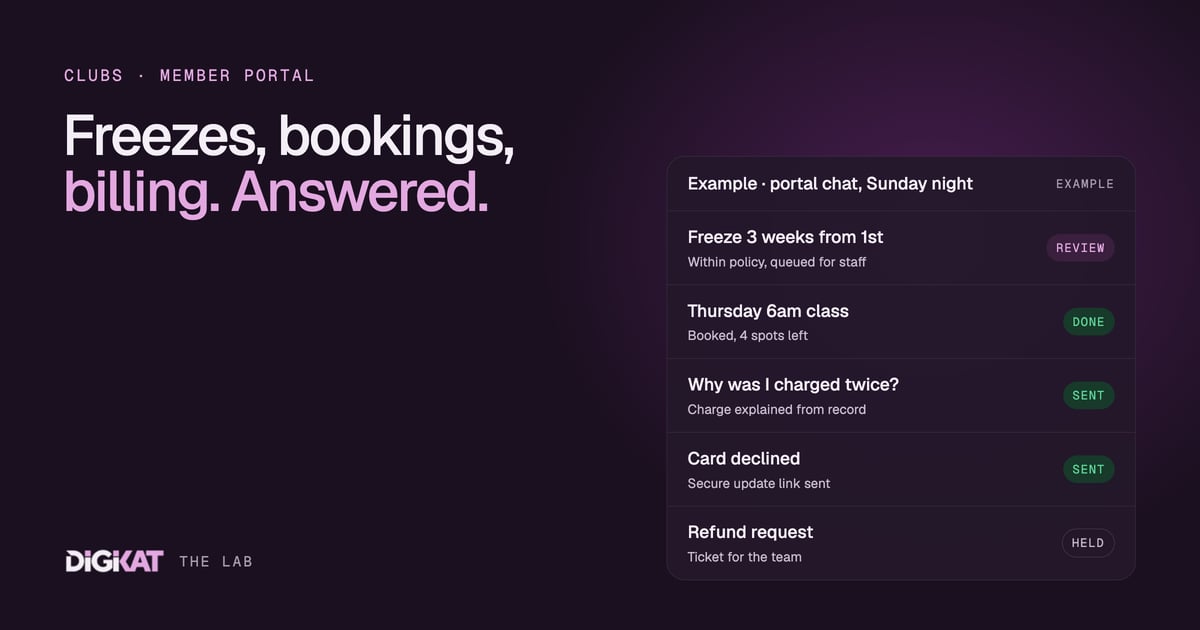
Every gym and club front desk answers the same three questions all day. Can I freeze my membership? Can I get into Thursday's class? Why was I charged twice? They're simple questions, but each one means looking someone up in two or three systems. Put those answers inside a member portal, with an agent that can actually read the member's record, and most of them never reach the desk at all.
This isn't about a chatbot that recites your FAQ page. A member who asks "can I freeze?" doesn't want the policy. They want to know whether they can freeze, from when, and what it does to their next payment. That needs an agent that knows who they are. If you've wondered what the difference is, we covered it in chatbot or AI agent?
What a member portal on HubSpot looks like
A member portal is a logged-in area of your website, built on HubSpot memberships, where a member can see their own details. Our step-by-step guide to HubSpot memberships covers the access side. What makes the portal useful is what sits behind it on the member's record:
- Membership subscriptions: plan, price, billing cycle, next payment date, payment history and any failed payments.
- Class bookings: a custom object or HubSpot's Appointments object, associated to the member and to each class or session.
- Tickets: freeze requests, complaints and billing questions, each in your service pipeline.
- Memberships: which areas of the portal, which content and which programs they can access.
Because it's all on one record with the right associations, the portal can show the member their own world. And the agent inside the portal chat can read the same thing.
The three jobs the portal agent handles
Freezes
A member asks to freeze for three weeks while they're away. The agent checks the plan rules (minimum and maximum freeze length, notice period, how many freezes are allowed per year), reads the member's history and explains what will happen: the dates, whether there's a fee, and when billing resumes. If the request fits the policy, it creates the freeze request as a ticket with all the details filled in, ready for a staff member to approve in one click. If it doesn't fit, it says why and offers to pass it to the team.
Freezes are also a retention signal. Some members freeze for a holiday. Some freeze because they're halfway out the door. The agent logs every request so the retention side can spot the difference, which is the job we described in membership retention agents.
Bookings
"Is there room in Thursday's 6am?" The agent checks the class, shows the spots left and books the member in if their membership covers it. If the class is full, it offers the waitlist or the next session. If the member keeps booking and not showing, it can mention the no-show policy politely, because it can see the pattern on the record.
Billing questions
Billing is where most of the front desk's time goes, and where an agent needs the clearest limits. The agent can:
- explain a charge, line by line, from the subscription record;
- show the next payment date and amount;
- explain why a payment failed and send the secure link to update card details;
- explain the cancellation terms in plain words.
What it can't do is move money. Refunds, credits, waived fees, price changes and contract variations always go to a person. The agent gathers the facts, writes a clear summary on a ticket, and tells the member who'll get back to them and when.
Why the data has to come first
An agent in a portal is only as good as the record behind it. If the class bookings sit in one tool, the payments in another and nothing links them to the contact, the agent will give confident wrong answers. That's worse than no agent at all. We wrote about this in bad context in, bad agent out, and it applies here more than anywhere, because the person on the other end is a paying member looking at their own account.
Before we switch on a portal agent, we check three things:
- Every member has one record, with no duplicates from old imports.
- Subscriptions and bookings are associated to that record, not just matched by email.
- The policies are written down in an approved knowledge base: freeze rules, booking rules, billing terms. The agent answers from those, not from its own idea of what's fair.
How we roll it out
We follow Context, Action, Coordination, Result on every agent.
- Context: check the member data, pick the one question type that floods the desk most, agree what a good answer looks like, and measure how many hours a week it costs today.
- Action: start with HubSpot's own Customer Agent where it fits, and add custom tools only where it stops, for example to read a booking object or create a structured freeze request. Test it on real past conversations before members ever see it.
- Coordination: people approve, agents act. Early on, freeze requests and anything unusual queue for staff. The agent earns more freedom once 95% of its work has been approved unchanged for two weeks. Money stays with a person, always.
- Result: a monthly scorecard: conversations handled, freezes and bookings processed, tickets avoided, hours saved and the cost to run.
What changes for the front desk
The desk doesn't disappear. It gets its time back for the conversations that need a person: the new member who's nervous, the long-time member who's thinking of leaving, the billing dispute that needs judgement. The routine questions get answered at 10pm on a Sunday, from the member's phone, with their own details in front of them. Our portals page shows what that can look like.
If you'd like a member portal where an agent handles the everyday questions, start with Build my solution and we'll map it out with you. If you're not sure your member data is ready, book an AI Readiness Audit first and we'll show you what to fix. You can also read how we work before you decide.